
Premium E-Commerce Business Stores
Amazon, Walmart, eBay, or Etsy
Got a question? Chat with us:
Click the preferred messenger button
   |
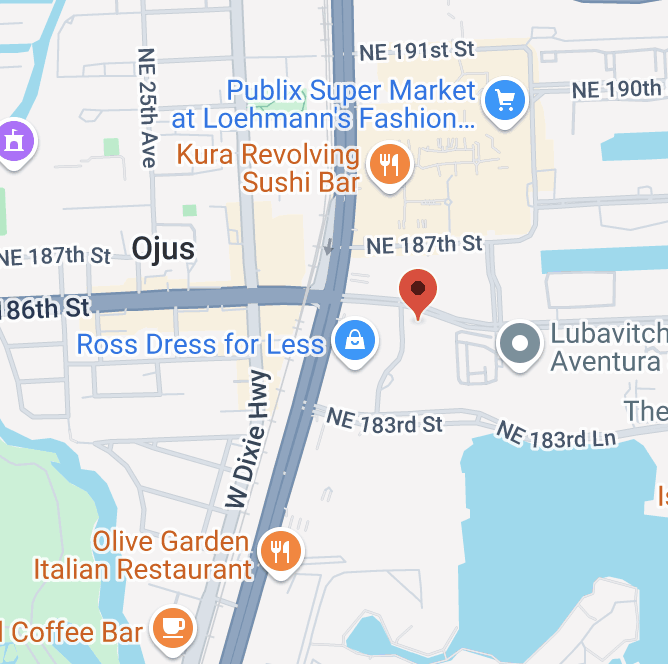
- 2750 NE 185th St, Aventura, FL
Sell an Amazon Seller Account
Let us help evaluate your assets and give you the best price.
We will need some additional info about the store you intend to sell, such as:
- Selling history
- Seller feedback
- Active listings & sales
Buy an Amazon Seller Account
Our Amazon accounts are real, authentic, and US based. They will work for selling books, dropshipping, FBA, dietary supplements, pesticides, brands, or, actually, whatever.
To get updates about Amazon stores available for sale, please join our email list:
Sell Your Etsy Account
With us, you can sell your Etsy account and move on with something else.
Click here if you want to buy an Etsy account.
Just contact us with your info, and we will get back to you.
Business Service with a Human Face 
Top Stores for Sale. Amazon. Walmart. eBay. Etsy
All business stores we have for sale are ready to work anytime
We provide super support before and after sales
We love smart solutions. We love fast sales. Your time is valuable to us
Our stores are here to make money and grow your business
All communications and details are 100% protected
Our customers are our friends. You are in the right hands
Do You Want to Sell or Buy an Amazon Account?
Click the Preferred Button Below to Contact us:
| |
Premium Sellers
- Approved categories
- Seller feedback
- Perfect health
- High velocity
- Aged stores
Our Services
What We Offer
We offer real 1, aged, verified, and healthy Amazon seller stores. Recently, we have introduced real and authentic Walmart, eBay, and Etsy stores as well.
 As we said previously, our Amazon business stores will work well for selling books, dropshipping, FBA, dietary supplements, pesticides, brands, or, actually, whatever:
- All stores we offer are ready to make money right now.
- All stores are authentic and created by real people or legal entities only. We don’t sell so-called ‘ghost’ or ‘stealth’ accounts made by using fake documents taken no one knows where.
- We don’t provide accounts in bulk. Each store is a gem, and gems are precious.
- All accounts won't have any issues with any kind of re-verification.
- Our accounts may also have certain restricted categories ungated, such as toys, topicals, baby and kid, health and beauty, kitchen and garden, pet food & supplies, etc. If needed, we can ungate any category or brand for you individually.
- We can help you transfer any account to your business. Completely free of charge. Full 100% money-back guarantee.
- In general, we only offer unique and ultra-premium e-commerce stores. Examples: 10+ year old zero account level reserve Amazon seller accounts, 20+ year old legacy Amazon seller accounts with daily payout option, 20+ year old eBay stores with $2B selling limits, etc.
Real and Authentic E-Commerce Stores
1 What a real and authentic e-commerce store means:
a) A real person or a company is behind all the information used in any particular store,
b) Real residential and business addresses,
c) Real and authentic history of selling,
d) Full protection against any kind of deactivation (for example, in accordance with Section 3 of Amazon’s Business Solutions Agreement),
d) An ability to contact the original owners and ask for any specific assistance or previous info if needed,
e) All financial information on any account is absolutely unique and protected.
All the advantages above are not the case for the so-called 'ghost' and 'stealth' accounts that are widely offered and sold online.
Therefore, investing funds into business assets provided by Premium Sellers is a smart move for your business.
How It Works
1. How to Sell an Amazon Account?
 Amazon is not for everyone. If you want to cash your business store out, here is how it works:
Step 1. Business Information
You send us an email info@premiumsellers.com or call/text (754) 227-9783, or message us on social media (click here) with the info about the business store you want to sell.
Make sure you include as much information as possible, such as account age, seller feedback rating count, active inventory, past sales, history of suspensions, approved categories or brands, etc.
Please add screenshots or video recordings as well if possible.
Step 2. Evaluation
In approximately 30-45 minutes after your inquiry, we will manually evaluate your store based on the info we receive from you. The evaluation process is entirely individual and does not involve any pre-made online calculators.
After that, we will send you our best offer which is, of course, slightly negotiable.
Step 3. Signing Papers
Once you accept the offer you get from us, we will need to sign an agreement including an NDA. Also, we will need to confirm your identity after we sign the papers.
Step 4. Sending Money
During this step, we will send funds to your PayPal or bank account (usually, it’s 70% of the deal amount). Also, we can use Venmo (venmo.com), Cash App (cash.app), or Zelle (zellepay.com). Once you receive the funds, we move to the step 5.
Step 5. Account Ownership Transfer
We give you instructions on how to safely transfer your account without the risk of being suspended or reviewed. After you’ve done this, you send us full store access.
How Long Does Selling an Amazon Account Take?
In general, it takes 1-3 days to go through steps 1-5.
Sell Your Amazon Store - Click Here
Video Testimonials
Check what our customers think about us:
"In 2018, I decided to start an Amazon business because I needed some income... "
Blair B. ⭐️⭐️⭐️⭐️⭐️ 5 stars
"At first, I was a little sceptical on how the process would work. But the guys were very very good in the whole process explaining it step-by-step and putting my nerves at ease."
Brendan P. ⭐️⭐️⭐️⭐️⭐️ 5 stars
"The whole process was absolutely flawless. Premium Sellers did a fantastic job!"
Ben S. ⭐️⭐️⭐️⭐️⭐️ 5 stars
"They always followed through their commitments, and they were very good to work with!"
Maynard M. ⭐️⭐️⭐️⭐️⭐️ 5 stars
Our TrustPilot Reviews
⭐️⭐️⭐️⭐️⭐️ 4.9 stars
2. How to Buy an Amazon Account?
Do you want to expand your Amazon business? Below is how you can do it:
Step 1. Choose Your Store
First, you join our email list (click here). We will be emailing account offers unless you find an e-commerce store that suits your needs.
Step 2. Send us a Deposit
Second, you make a bank transfer (30-50% of the deal amount) to secure the deal (Wire or ACH).
Step 3. Account Ownership Transfer
Third, you prepare a fresh credit card, bank account, EIN, and phone number. We will securely transfer your store to a new business name step-by-step. This is a slow and nice process.
We will send a report with a screenshot after each step.
Step 4. Making the Final Payment
You send the remaining funds to become a happy owner of a premium Amazon store operating under your business name. During this step, we will send you full store access and our best recommendations.
Step 5. Leave Your Feedback (Optional)
Please, leave your feedback on social media (our Facebook page). Thank you for your business!
What Do I Get after the Purchase?
 After the purchase, you get:
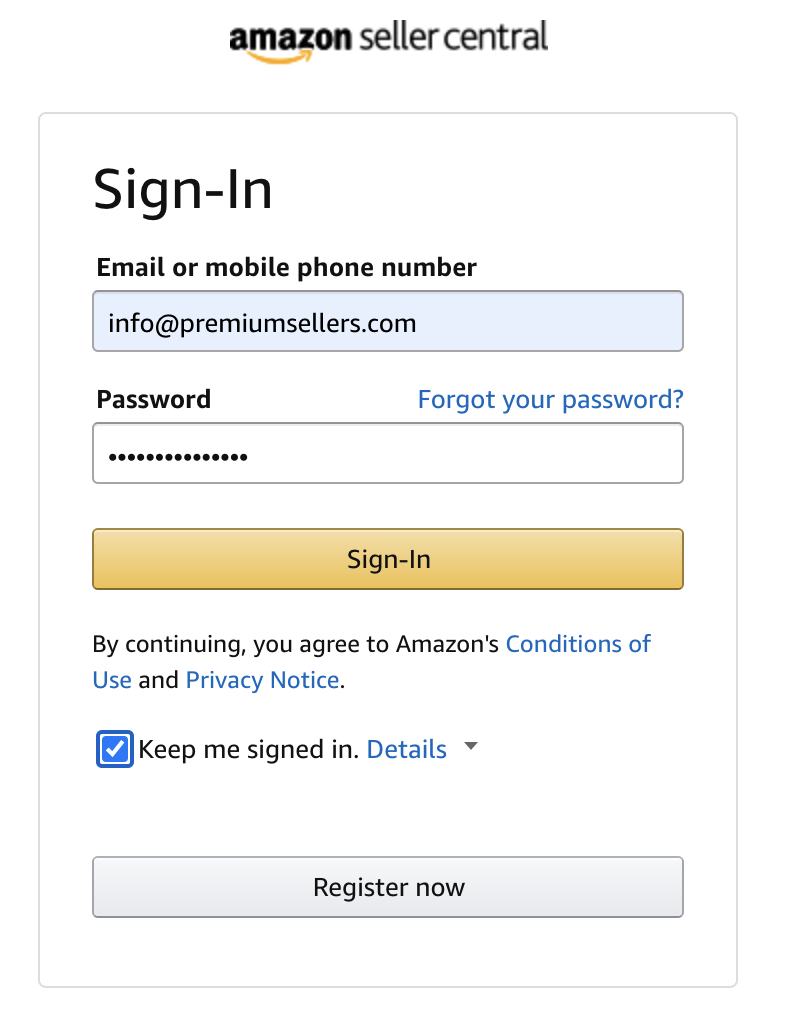
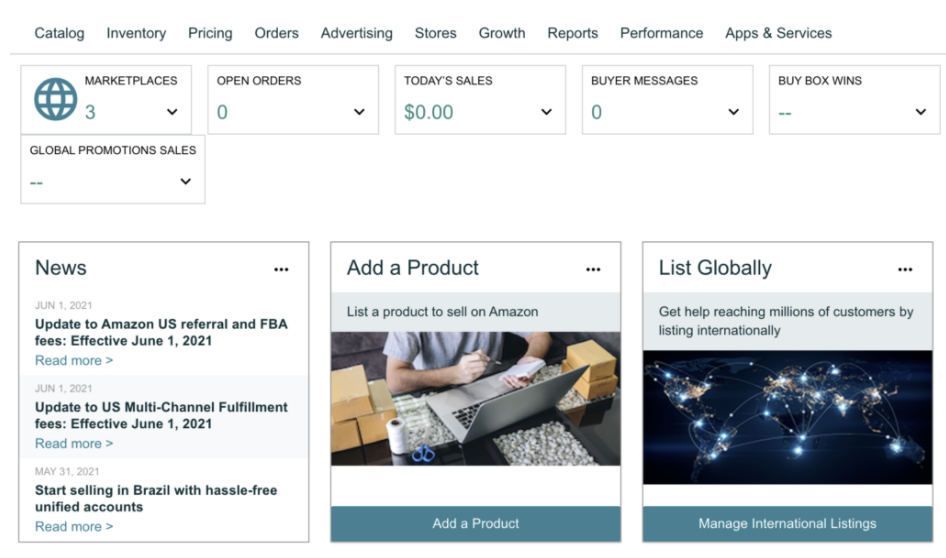
- Full access to Amazon Seller Central (link) including 2-Factor Authentication.
- Full access to the primary email address associated with the account you buy.
- Full access to an ultra-secure VPS (virtual machine)*. VPS is free for one month. Starting from the second month, the price is $30/month.
- Full Amazon Account ownership transfer to your business details.
- Full technical support. Our experienced team is always at your service.
* By default, all virtual machines are supplied with 4 GB Dedicated RAM, 2 CPU, and 2 GB SSD Space, and can be upgraded up to 64 GB Dedicated RAM, 12 CPU, 800GB SSD Space for $450 per month.
We can manage Virtual Private Servers for you FOR FREE. Also, if you need separate virtual servers, just let us know. We will be happy to provide as many machines as you need. 100% data security is guaranteed.
3. Amazon Payment Management Service
New account owners often forget to change their deposit methods (bank accounts) in their Amazon stores. Others are simply too frustrated to touch those deposit methods at all.
We have seen that too frequently in our business. If that's the case for you, we have a great service for you.
Have you failed to add your bank account on time or are you scared to change your bank account at all? Don't worry! Premium Sellers will receive your payment. Neither a previous owner nor any third party will get it.
This is because all Amazon seller accounts that you buy from us use bank accounts that belong to our company.
Once your payment arrives, we will send your funds to any bank account of your choice for a little fee of 5% (for larger volumes, our share is negotiable).
This service is also known as the Amazon Payment Management with us. We have recently introduced it to our beloved customers.
Additionally, we can receive and manage your payments from Walmart, eBay, Shopify, etc. We can accept wire transfers from the US, international bank transfers, as well as payments from WISE (formerly known as TransferWise) or other online money transfer companies.
You make money on Amazon. We manage your payments (read more).
4. Brokering E-commerce Deals
If you look to buy or sell an e-commerce account or business from a third party (not from Premium Sellers) and lack experience in such a kind of deals, we will be happy to help and share our experience with you. You can hire Premium Sellers as your best broker in order for us to handle a successful e-commerce deal for you.
With our help, you can buy or sell an Amazon, eBay, Etsy, or Walmart account or an e-commerce business from a third party that you have never encountered, and where trust is the biggest challenge. We will prepare and provide all the necessary contracts, docs, guides for you and the third party to broker a deal. The deal will be 100% safe and secure for you.
Please contact us with the necessary info regarding what you plan to buy or sell, your third party info, conditions, details, etc. We are here to make things go smoothly.
I Want to Sell or Buy an Amazon Account but I Lack Experience. Will You Help?
Of course. We will guide you through all the steps and provide you with our best advice and service.
Contact us any time by email info@premiumsellers.com or call/text: (754) 227-9783
I Want to Sell My Etsy Seller Account. What's the Process?
Great. Please click this link to learn more.
Thank you for your business!
What People Say
The only trustworthy, reputable, and ethical company...
Who We Are
- Smooth transactions
- Experienced team
- All-in-one service
- Full transparency
- Real-time support